
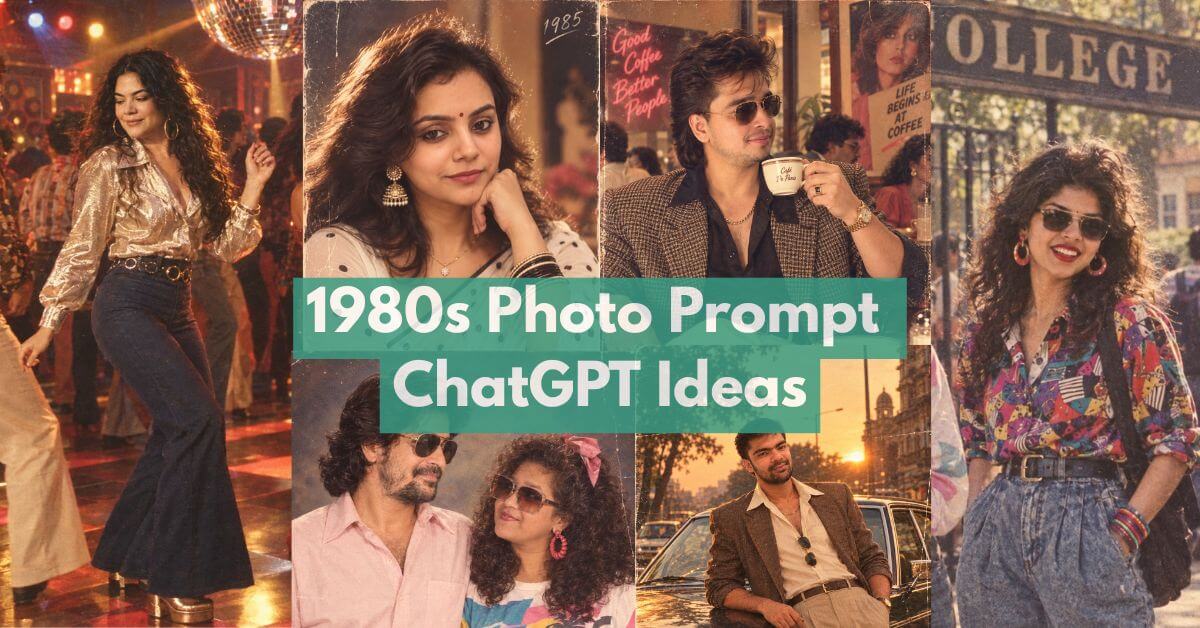
The 1980s was a decade of bold colors, neon lights, and unforgettable pop culture. Today, the distinct 80s aesthetic is making a massive comeback. Whether you are a digital artist, a marketer, or just someone feeling nostalgic, learning how to generate or edit 1980s-style images is a valuable skill.
This guide will walk you through crafting the perfect 1980s photo prompt for AI tools. We will also explore retro photo editing techniques to turn modern pictures into vintage masterpieces. By understanding the core traits of 80s photography, you can create stunning visuals that capture the true spirit of the decade.
What Defines the 80s Aesthetic in Photography?
Before diving into prompts and editing, it helps to know what makes a photo look like it belongs in the 1980s. The decade had a very specific visual style. It was heavily influenced by the technology of the time, like point-and-shoot film cameras and early VHS camcorders.
Key Visual Elements of the 1980s
To create an authentic look, you need to focus on a few key elements:
- Color Palettes: The 80s loved bold, contrasting colors. Think bright magenta, electric blue, neon green, and warm sunset oranges.
- Lighting: Neon lighting was a staple. Whether it was a arcade screen glowing in the dark or a synthwave sunset, lighting was dramatic and vibrant.
- Film Grain and Texture: Photos were not crisp and clean. They had a noticeable film grain, slight blur, and sometimes light leaks where the film was exposed.
- VHS Distortion: Video stills often had tracking lines, color bleeding, and soft edges. This VHS style is a massive part of the AI 80s aesthetic today.
Crafting the Perfect 1980s Photo Prompt for AI
AI image generators like Midjourney, DALL-E 3, and Stable Diffusion are amazing tools for creating retro art. However, the output is only as good as the instructions you provide. A well-crafted 1980s photo prompt will give you much better results than a basic command.
Essential Keywords for Vintage Photo Prompts
When writing your prompt, you need to use specific photography and cultural terms. Do not just say “an 80s photo.” Be descriptive.
Here are the best keywords to include in your prompts:
- Camera Types: “Shot on 35mm film,” “Polaroid SX-70,” “Kodak Disc camera,” “VHS still.”
- Lighting Terms: “Neon glow,” “synthwave lighting,” “backlit sunset,” “flash photography.”
- Cultural Touchstones: “Arcade,” “cassette tape,” “boombox,” “retro mall,” “mullets,” “windbreakers.”
- Texture Words: “Film grain,” “light leaks,” “halation,” “soft focus,” “chromatic aberration.”
Examples of 1980s AI Photo Prompts
Here are a few prompts you can try right now. Notice how they combine subject, lighting, and texture to get a specific result.
- The Synthwave Portrait: “A portrait of a teenage girl in 1985, big hair, wearing a neon pink windbreaker. Shot on 35mm film. Glowing synthwave sunset in the background. Film grain, light leaks, soft focus, retro photography.”
- The Arcade Scene: “A dark arcade in 1984, glowing screens reflecting off eyeglasses. A teenage boy playing an arcade cabinet. VHS still, tracking lines, chromatic aberration, harsh flash photography, 80s aesthetic.”
- The Mall Hangout: “Three friends walking in a retro 1980s mall, holding shopping bags. Shot on Kodak Gold 200 film. Warm lighting, faded colors, mild film grain, candid snapshot.”
External Resource: For a deeper dive into how AI interprets these terms, check out the Midjourney Prompt Guide.
Retro Photo Editing: How to Edit Modern Photos Like the 80s
Maybe you do not want to generate a new image from scratch. Instead, you might want to apply an 80s filter to a photo you already have. This is where retro photo editing comes in. You can use software like Adobe Photoshop or Lightroom to age your modern pictures.
Step-by-Step 80s Photo Editing in Lightroom
Here is a simple, actionable way to edit your photos in Lightroom to achieve a vintage look.
1. Drop the Clarity and Sharpness Modern lenses are very sharp. 80s cameras were not. In Lightroom’s “Develop” module, lower the Clarity slider to around -15. Then, go to the “Detail” tab and reduce the Sharpening amount. This gives the image a softer, dreamier look.
2. Shift the Colors The 80s had a very specific color science. Go to the “HSL” panel.
- Push the Orange and Red hues slightly toward yellow to mimic older film stocks.
- Drop the saturation of blues and greens just a bit.
- In the “Color Grading” panel, add a soft orange tone to the Shadows and a faint cyan or blue to the Highlights. This mimics the cross-processing look popular in the decade.
3. Add Film Grain Go to the “Effects” tab. Increase the Grain amount to around 25, the Size to 25, and the Roughness to 50. This adds that gritty, physical texture that is missing from digital photos.
4. Add a Vignette Older lenses often darkened the edges of a photo. In the “Effects” tab, set the Style to “Highlight Priority” and slide the Amount to -15.
Internal Link: If you are new to Lightroom, you might find our guide on [Basic Photo Editing for Beginners] helpful before tackling these retro techniques.
Creating VHS Distortion in Photoshop
If you want to push the 80s aesthetic further, you can add VHS distortion using Photoshop.
- Open your image and duplicate the layer.
- Go to
Filter > Filter Galleryand apply a slightSpatterorDiffuse Gloweffect. - Create a new empty layer and fill it with alternating black and white horizontal lines (1 pixel tall).
- Change the blending mode of the lines layer to “Overlay” and lower the opacity to 10%. This mimics video tracking lines.
- Use the “Liquify” tool to slightly smear the colors horizontally, recreating the color bleeding found in old VHS tapes.
External Resource: Adobe provides excellent, authoritative tutorials on using these tools. You can explore their Photoshop Liquify tool guide to master this effect.
Best Tools for Creating an AI 80s Aesthetic
If you want to combine AI generation with manual editing, you have plenty of tools at your disposal.
- For AI Generation: Midjourney is currently the best at capturing vintage film looks. Stable Diffusion is excellent if you want more control over the exact film grain using custom models.
- For Mobile Editing: Apps like VSCO and Tezza come with pre-built 80s film filters. These are great for quick edits on your phone.
- For Desktop Editing: Adobe Lightroom and Photoshop remain the industry standard. They allow you to fine-tune every pixel to get the perfect retro look.
Conclusion
Mastering the 1980s photo prompt and retro editing techniques opens up a world of creative possibilities. Whether you are typing text into an AI generator or tweaking sliders in Lightroom, the secret lies in the details. Focus on bold colors, soft focus, film grain, and VHS textures.
By using the right keywords and editing steps, you can easily transport any modern image back to the days of neon lights and cassette tapes. Now it is your turn. Grab a photo, apply these tips, and start creating your own slice of 1980s nostalgia.