

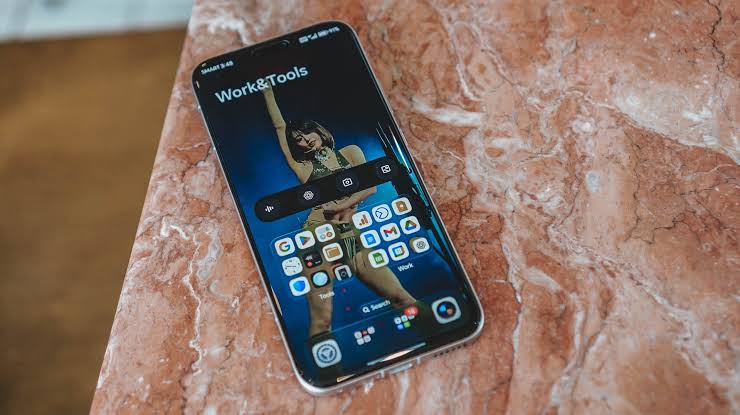
Honor opened its Android 17 beta program on August 6th, shipping the new software under the banner of MagicOS 11. If the OS version jump looks confusing, you are not alone. MagicOS is Honor’s skin. MagicOS 10 sat on Android 16. MagicOS 11 sits on Android 17. So when Honor says “Android 17 beta,” they mean the closed beta of MagicOS 11 built on top of the latest Android release Honor launches MagicOS 11 Android 17 Closed Beta Program.
The program is closed and limited. Honor is recruiting roughly 2,000 testers per device series, split evenly between a log version and a no-log version. Registration for phones closes on August 11, with the first wave rolling out on August 18. Tablets get a longer runway, with applications open through August 21 and the rollout starting around August 28 Honor launches MagicOS 11 Android 17 Closed Beta Program.
Which Honor Devices Can Join the Beta
Eligibility is tight right now. The official Honor Developer page lists the HONOR Magic8 Pro (model code BKQ-N49) as the flagship test device, and it must be running build 10.0.0.162 (C636E4R105P2H2) or higher before you can apply HONOR Android 17 Beta.
Expect the list to grow. Honor typically warms up a single device, gathers feedback, then expands to other flagships like the Magic V series and the Honor 800 line over the following months.
Prerequisites Before You Apply
Two things must be true on your phone before you tap “Apply”:
- Your Honor device must run MagicOS 10 build 10.0.0.170 or newer.
- You need the My Honor app installed and logged into the same Honor ID that owns your device.
If you are behind on system updates, finish them first. Beta programs do not auto-update you to the required baseline.
How to Register for the Honor Android 17 Beta
There are two paths that lead to the same form. Both routes are officially supported.
Option 1: Through the My Honor App
This is the easier route for most users.
- Open My Honor on your phone.
- Tap the Club tab at the bottom.
- Look for the MagicOS upgrade try-out banner.
- Pick the Beta Program project for Android 17.
- Fill in your details and submit.
Option 2: Through System Settings
If the banner does not appear inside the My Honor app, try this route.
- Go to Settings → System & Updates → Software Update.
- Tap the icon in the top right corner.
- Select the Upgrade and Trial banner.
- Choose the Beta Program card and submit your application.
After you submit, Honor reviews applications and pushes the beta build to approved testers. You will not get instant access. Plan on waiting roughly a week after the registration cutoff Honor launches MagicOS 11 Android 17 Closed Beta Program.
How to Install the Honor Android 17 Beta Manually
The My Honor app route handles the install over the air once your application clears. The Developer page also documents a manual path for sideloaders and tinkerers who want to push the package directly via PC.
Step 1: Enable Developer Mode and USB Debugging
- Plug your phone into your PC with a USB cable.
- Open Settings → About Phone and tap Build Number seven times to unlock Developer Mode.
- Go to Settings → System & Updates → Developer Options and turn on USB Debugging.
Step 2: Push the Update Package
- Download the MagicOS 11 beta package from the Honor Developer site on your PC.
- Decompress the archive.
- Use ADB to push all the extracted files into
/data/local_ota/on your phone.
Step 3: Trigger the Local Update
- Go to Settings → System & Updates → Developer Options.
- Enable Local Updates.
- The phone will detect the OTA package and show an upgrade prompt.
- Tap Update and wait for the install to finish HONOR Android 17 Beta.
Manual flashing is for power users. Stick with the My Honor route if you just want to test the new OS without fiddling with ADB.
What Is New in Android 17-Based MagicOS 11
Honor has not published a full changelog yet, but MagicOS 11 leans on Android 17’s platform upgrades. Expect a mix of system-level changes from Google and Honor’s own UI polish.
Likely Android 17 System Changes
- Stronger default privacy controls, including finer location and sensor permissions.
- Better background process management, which should help battery life on older chipsets.
- Refined notification handling with grouped alerts and richer quick-reply actions.
Likely MagicOS 11 Additions
- Updated Honor AI features, including deeper integration with on-device assistants.
- Refreshed animations across the home screen, multitasking, and control center.
- Tighter ecosystem hooks between Honor phones, tablets, and the MagicBook lineup.
Specs and feature lists will firm up once Honor publishes official release notes. Check the Honor Developer page periodically for the latest builds and changelogs HONOR Android 17 Beta.
Known Risks and Warnings
Beta software is beta for a reason. Honor explicitly cautions testers about the following issues Honor launches MagicOS 11 Android 17 Closed Beta Program:
- Random lag and stutter in the UI and inside apps.
- Higher than usual power draw, especially during the first few days as the system re-indexes.
- Battery drain that exceeds what you get on MagicOS 10.
- Overheating under load, including during routine gaming or camera use.
- App crashes and freezes, especially with banking, streaming, and DRM-protected apps.
- In rare cases, data loss during rollout.
Do not install a beta on your only phone. If you depend on the device for work, payments, or two-factor authentication, wait for the stable release.
How to Roll Back to MagicOS 10 if Things Go Wrong
The Honor Developer page lists a rollback option alongside the upgrade package. The typical rollback process looks like this:
- Download the official rollback package for your specific model from Honor’s developer site.
- Push the package to
/data/local_ota/over ADB. - Trigger a local update from Developer Options the same way you installed the beta.
- Wait for the device to reboot back into MagicOS 10.
A rollback wipes user data on most builds. Back up everything before you flash forward or backwards.
Tips Before You Join the Honor Android 17 Beta
A little prep saves a lot of headaches.
- Back up your phone. Use Honor’s built-in backup tool or a third-party service. Beta builds can wipe data.
- Have a spare device ready. Keep a working phone nearby in case your daily driver refuses to boot.
- Note your model and build number. Honor support will ask for these if anything goes wrong during the install.
- Skip beta builds during travel. Do not flash a beta right before a trip, presentation, or a week with no spare time for troubleshooting.
- Report bugs with logs. Beta testers in the log version are more useful to Honor. Opt in if you are comfortable sharing diagnostic data.
- Track updates. Beta versions ship in waves. Watch the Honor Developers portal and Honor Club for new drops.
Frequently Asked Questions
Is the Honor Android 17 beta free? Yes. Joining the closed beta costs nothing, but slots are limited to about 2,000 testers per device series.
Will I get the stable Android 17 update if I skip the beta? Yes. Every eligible device that misses the beta will still receive the stable MagicOS 11 build once Honor finishes testing.
Can I install Google Play on the MagicOS 11 beta? Existing Honor devices with Google services should keep them after the upgrade. If the beta breaks Play Services, roll back using the method above.
Will my Honor Watch or earbuds still work after the upgrade? Most Honor wearables re-pair automatically. If a device refuses to connect, unpair it from Bluetooth settings and pair it again after the update finishes.
How long does the Android 17 beta program run? Closed betas typically run two to three months before moving to public beta, then another few weeks before the stable rollout. Honor usually announces timelines inside the My Honor app once a build ships.
Final Thoughts
The Honor Android 17 beta is your first real look at MagicOS 11. The Magic8 Pro leads the test flight right now, with the rest of the flagship lineup likely to follow once Honor clears the first round of feedback HONOR Android 17 Beta. If you want in, register through the My Honor app before August 11, keep your data backed up, and treat the build as a preview rather than a daily driver.