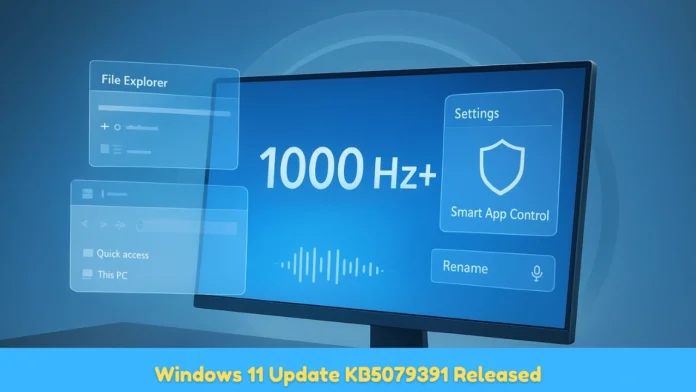
The Windows 11 Update KB5079391 is now live as a non-security optional preview patch for Windows 11 versions 24H2 and 25H2, released by Microsoft on March 26, 2026 (March 27, 2026 in Japan Standard Time) and available through Windows Update for users who choose to install it manually before April’s Patch Tuesday.
As an optional update, KB5079391 does not install automatically users must navigate to Settings > Windows Update > Advanced Options and select “Get the latest updates as soon as they’re available” or manually click “Check for updates” and opt in.
Microsoft uses these monthly optional preview updates to test and gradually roll out new features and fixes before bundling them into the following month’s mandatory cumulative update.
Key New Features in Windows 11 KB5079391
Narrator Now Works With Copilot on All Devices
The most significant accessibility improvement in KB5079391 is the expansion of Narrator-Copilot integration to all Windows 11 devices — not just Copilot+ PCs. Previously, Narrator’s ability to work alongside Microsoft’s AI assistant Copilot was restricted to hardware with a dedicated Neural Processing Unit (NPU).




After installing KB5079391, users on standard Intel, AMD and older hardware can access Narrator’s Copilot-assisted features, including natural language descriptions of screen content, contextual reading suggestions and Copilot-powered help responses triggered directly from Narrator commands.
This change marks a deliberate Microsoft move to democratise AI-assisted accessibility rather than gating it behind premium Copilot+ PC hardware specifications.
Smart App Control Toggle: No Clean Install Required
KB5079391 introduces a long-requested capability: the ability to toggle Smart App Control (SAC) on or off without performing a clean Windows reinstall. Smart App Control is a Windows 11 security feature that blocks untrusted or potentially harmful applications from running by checking their reputation against Microsoft’s cloud intelligence service. Until this update, switching SAC between its three states On, Evaluation and Off once it had been disabled required wiping and reinstalling Windows entirely.
The new toggle, accessible through Windows Security > App and Browser Control > Smart App Control Settings, allows users and IT administrators to re-enable or reconfigure SAC on existing installations. This change has significant practical value for enterprise IT departments that initially turned off SAC for compatibility testing and subsequently need to re-enable it without reimaging machines.
File Explorer Usability Enhancements
KB5079391 continues Microsoft’s incremental File Explorer improvement track, adding usability refinements that complement the dark mode consistency fixes delivered in earlier 2026 updates. The specific File Explorer changes in this preview update build on the January 2026 KB5074109 improvements, which brought dark-themed dialogs to file deletion and move operations.
Reports suggest the March preview update extends these dark mode improvements to additional dialog types and refines the interaction model for bulk file operations, though the complete detailed changelog for File Explorer changes is not publicly disclosed in Microsoft’s English-language documentation as of March 27, 2026.
Display Reliability Improvements
The update addresses multiple display-related reliability issues that affected a subset of Windows 11 24H2 and 25H2 users. Specific scenarios fixed include display flickering on high-refresh-rate monitors during application launches, incorrect colour profile application after system resume from sleep and an intermittent issue where secondary monitor arrangements reset after Windows Update installations. These fixes build on the performance improvements Microsoft delivered in the December 2025 KB5072033 update, which addressed AMD GPU-specific rendering problems.
Build Numbers After Installing KB5079391
Installing KB5079391 advances the Windows build number as follows:
| Windows Version | Build Before Update | Build After KB5079391 |
| Windows 11 25H2 | 26200.8037 (post-March Patch Tuesday) | 26200.8050+ |
| Windows 11 24H2 | 26100.8037 (post-March Patch Tuesday) | 26100.8050+ |
The specific final build numbers are subject to confirmation once Microsoft publishes the full English-language support documentation at support.microsoft.com.
How KB5079391 Fits in the Update Calendar
Microsoft follows a predictable monthly update rhythm for Windows 11. The mandatory Patch Tuesday update arrives on the second Tuesday of each month the March 2026 Patch Tuesday was KB5079473 (Build 26200.8037 for 25H2), released on March 10, 2026.
The optional preview update typically follows in the fourth week of the same month KB5079391 fulfils this role for March 2026. Features and fixes in KB5079391 will roll into April 2026’s mandatory Patch Tuesday automatically, meaning users who do not install the preview update will receive these changes via the April mandatory update regardless.
This release cadence allows Microsoft to gather real-world performance and compatibility telemetry from volunteer early adopters before committing features to the mandatory release channel that serves hundreds of millions of devices.
How to Install Windows 11 KB5079391
Since KB5079391 is an optional update, it requires manual action:
- Open Settings (Win + I)
- Click Windows Update in the left sidebar
- Select Advanced Options, then enable “Get the latest updates as soon as they’re available”
- Return to the main Windows Update page and click “Check for updates”
- If KB5079391 appears under “Optional updates” or “Preview updates”, click Download and install
- Allow the update to download, then restart when prompted
Alternatively, users can download the standalone KB5079391 installer directly from the Microsoft Update Catalog at catalog.update.microsoft.com by searching the KB number — useful for offline deployment in enterprise environments.
Compatibility and Known Issues
KB5079391 applies to Windows 11 versions 24H2 and 25H2 only. Devices still running Windows 11 23H2 receive a separate update track and will not receive KB5079391. Microsoft has not published any known issues specific to KB5079391 as of the update’s initial release on March 26, 2026 known issues will be updated on the official support documentation page at support.microsoft.com as the preview rollout progresses.

